> ## Documentation Index
> Fetch the complete documentation index at: https://docs.mixpanel.com/llms.txt
> Use this file to discover all available pages before exploring further.
# Identity Management Overview
Already familiar with the concept of identity management? Click [here](/docs/tracking-methods/id-management/identifying-users-simplified) for a detailed implementation guide for Mixpanel ID management.
## Overview
Identity management is the process of assigning IDs and maintaining ID mappings to ensure data are attributed to your users accurately. Mixpanel uses the **Distinct ID** property to identify your users and determine their uniqueness.
## Distinct ID
Distinct ID is Mixpanel's identifier used to uniquely track a user in the system. Every event data and profile update sent to Mixpanel should have a distinct\_id property associated with it (except in the case of preventing [hot shards](/docs/debugging/distinct-id-limits)). The Distinct ID value tells Mixpanel which user to attach your events and profile property updates.
The purpose of Distinct ID is to provide a single, unified identifier for a user across devices and sessions. When two events have the same value of `distinct_id`, they are considered as being performed by one unique user. If the Distinct ID on two events are two different values, they will be considered as coming from two separate users.
Note that the Distinct ID property is `distinct_id` for event payload, and `$distinct_id` for profile update payloads. Learn more about the [Import Events API](/reference/import-events) and [Engage API](/reference/profile-set).
### Role of Distinct ID in Mixpanel
Below are examples of Distinct ID's role in Mixpanel:
**Insights report** - Distinct IDs are used to determine uniqueness, which is crucial for aggregation methods like Uniques and Average per User.
**Funnels report** - Distinct IDs are used to follow a user through a conversion journey. If a user tracks events with inconsistent Distinct IDs between steps, they will be counted as a drop-off.
**User report** - Distinct IDs are used to index individual users. User Profiles with 2 different Distinct IDs from the same user would end up with 2 different profiles.
## Identity Management in Action
Let's walk through how identity management affects your implementation using an example flow. Imagine you have a product that can be accessed from a website and a mobile app:
### Without ID Management
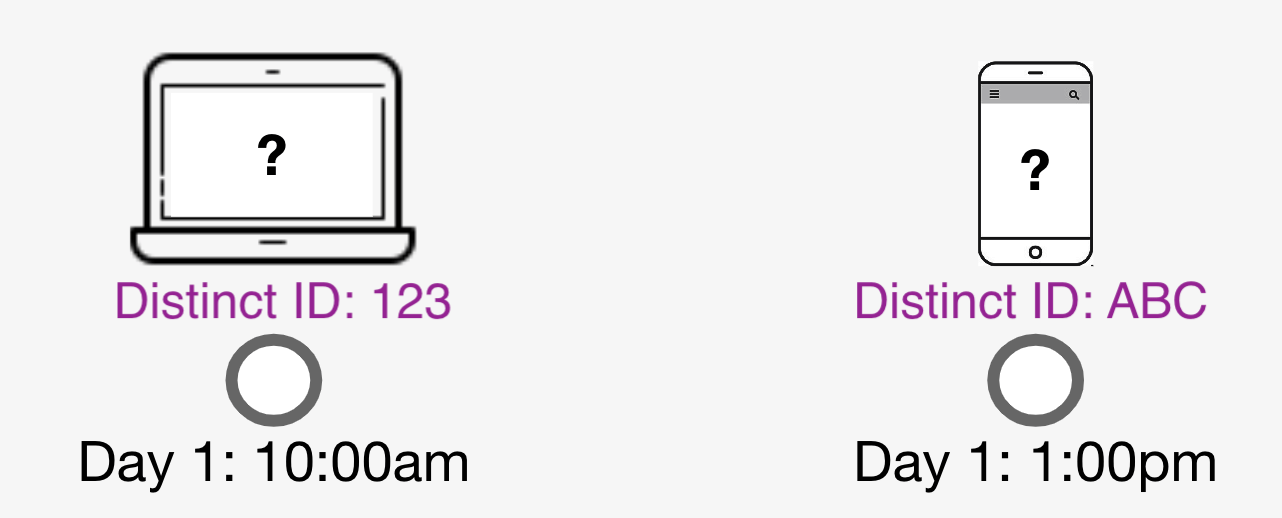 1. A user accesses your product on the website through a computer. The Javascript SDK automatically generates a Distinct ID for them, with the value of `123`.
2. Later in the day, the same user accesses your product again, this time on their smartphone. The Android SDK automatically generates a Distinct ID for them, with the value of `ABC`.
3. This single user would appear as two separate users in your Mixpanel project; once for their access through the website, and another for their access through your app.
Without identity management, a user who accesses your product from multiple devices is incorrectly counted as two separate users.
### With ID Management
1. A user accesses your product on the website through a computer. The Javascript SDK automatically generates a Distinct ID for them, with the value of `123`.
2. Later in the day, the same user accesses your product again, this time on their smartphone. The Android SDK automatically generates a Distinct ID for them, with the value of `ABC`.
3. This single user would appear as two separate users in your Mixpanel project; once for their access through the website, and another for their access through your app.
Without identity management, a user who accesses your product from multiple devices is incorrectly counted as two separate users.
### With ID Management
 1. A user accesses your product on the website through a computer. The Javascript SDK automatically generates a Distinct ID for them, with the value of `123`.
2. When the user registers for an account, your implementation makes an identify call, using their login `charlie` as the User ID. This triggers an ID merge, resulting in an ID cluster containing both `charlie` and `123`, which will map to the same user in Mixpanel.
3. Later in the day, the same user accesses your product again, this time on their smartphone. The Android SDK automatically generates a Distinct ID for them, with the value of `ABC`.
4. When the user logs in to your product using the account they registered earlier, your implementation calls identify again using the same User ID. This triggers another merge, adding `ABC` to the existing ID cluster. Now `ABC`, `123`, and `charlie` are all in one cluster and map to one user in Mixpanel.
With identity management, a user who accesses your product from multiple devices is accurately resolved to a single user.
## Identity Merge APIs
You cannot switch between the two APIs if your project already contains data in it.
Mixpanel supports 2 versions of the ID Merge API:
* Simplified ID Merge
* Original ID Merge.
Simplified ID Merge API is the default for new organizations created from April 2024. Although it is not directly possible to switch from Original ID Merge (for a project that already has data) to Simplified ID Merge, both APIs will remain supported.
### Switching Between Simplified and Original API
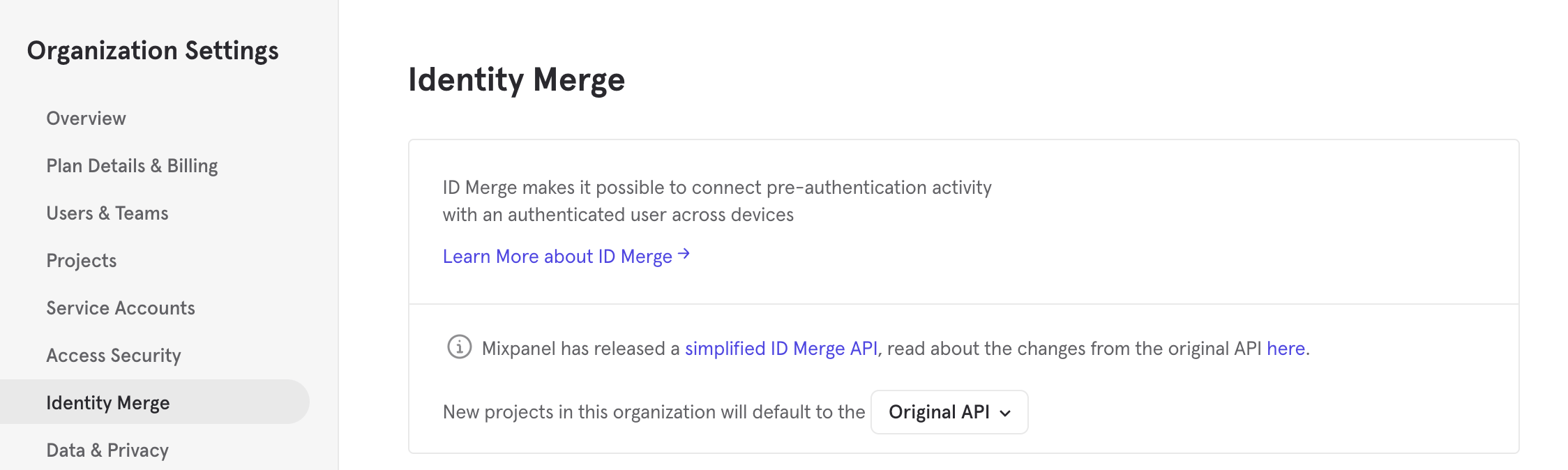
You can set the default Identity Merge API version for your projects in the Organization Settings:
1. A user accesses your product on the website through a computer. The Javascript SDK automatically generates a Distinct ID for them, with the value of `123`.
2. When the user registers for an account, your implementation makes an identify call, using their login `charlie` as the User ID. This triggers an ID merge, resulting in an ID cluster containing both `charlie` and `123`, which will map to the same user in Mixpanel.
3. Later in the day, the same user accesses your product again, this time on their smartphone. The Android SDK automatically generates a Distinct ID for them, with the value of `ABC`.
4. When the user logs in to your product using the account they registered earlier, your implementation calls identify again using the same User ID. This triggers another merge, adding `ABC` to the existing ID cluster. Now `ABC`, `123`, and `charlie` are all in one cluster and map to one user in Mixpanel.
With identity management, a user who accesses your product from multiple devices is accurately resolved to a single user.
## Identity Merge APIs
You cannot switch between the two APIs if your project already contains data in it.
Mixpanel supports 2 versions of the ID Merge API:
* Simplified ID Merge
* Original ID Merge.
Simplified ID Merge API is the default for new organizations created from April 2024. Although it is not directly possible to switch from Original ID Merge (for a project that already has data) to Simplified ID Merge, both APIs will remain supported.
### Switching Between Simplified and Original API
You can set the default Identity Merge API version for your projects in the Organization Settings:
 For new projects without any data in it, you can switch the Identity Merge API version for the project in the Project Settings:
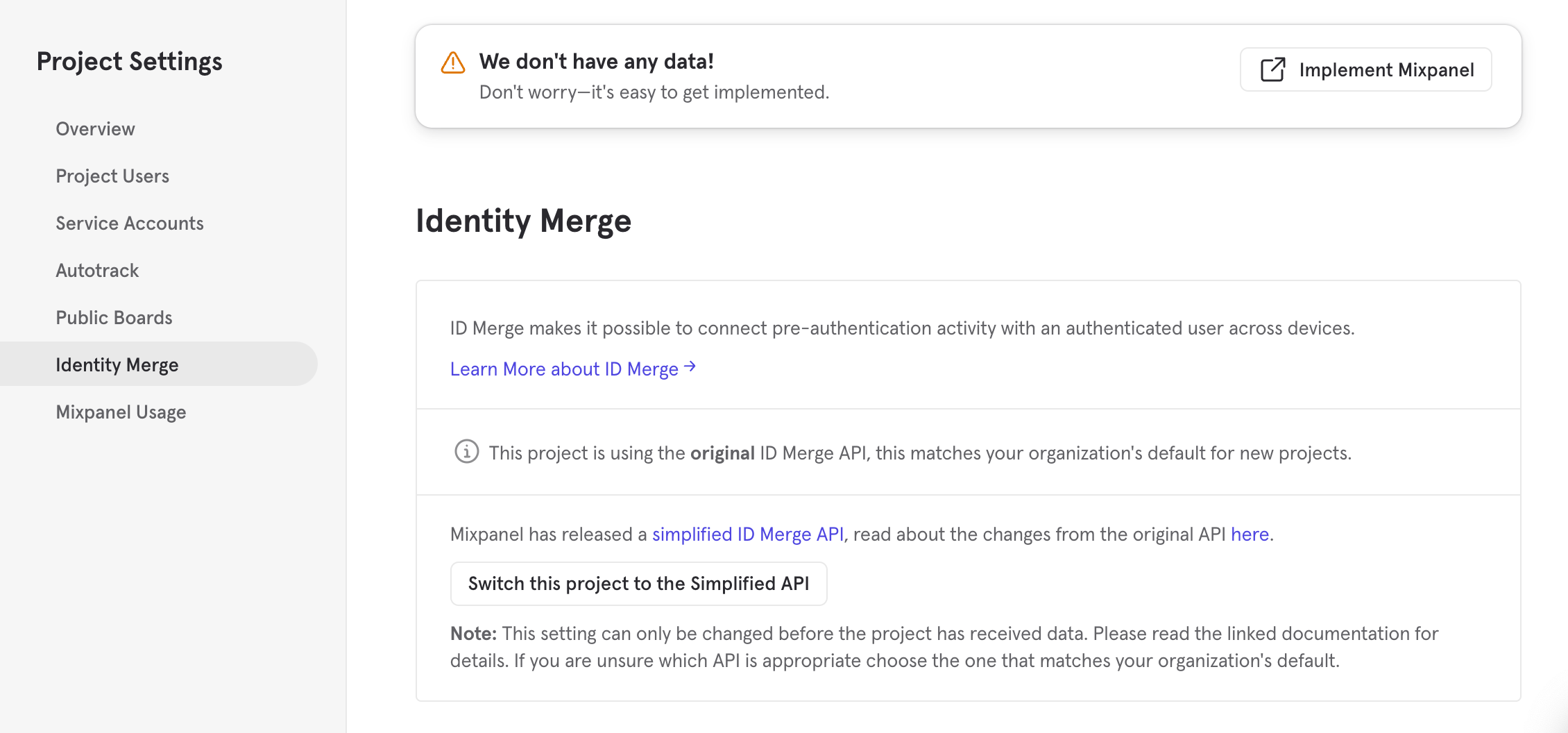 Once there are any data in your project, your Identity API version cannot be changed.
Learn more about migrating to Simplified API [here](/docs/tracking-methods/id-management/migrating-to-simplified-id-merge-system).
### Simplified vs Original API Key Differences
**Simplified API**
* Distinct IDs are determined using `$user_id`/`$device_id` in events.
* The `$user_id` is always set as the distinct\_id for the user.
* There is no limit on the number of `$device_id`s that can be merged into a single `$user_id`.
* Any IDs in the cluster can be used for ingestion.
**Original API**
* Distinct IDs are determined using the `$identify`, `$merge`, and `$create_alias` events.
* The distinct\_id is automatically determined by Mixpanel using one of the IDs in the cluster and is not user-configurable. Any IDs in the cluster can be used for ingestion.
* There is a limit of 500 IDs that can be merged into a single ID cluster.
### Third-Party Integration Support
Customer Data Platform (CDP) integrations may require some configuration to work the Simplified API:
* Segment works out of the box with both the Simplified and Original APIs with no special configurations.
* Rudderstack has a [connection setting](https://www.rudderstack.com/docs/destinations/streaming-destinations/mixpanel/#connection-settings) that should match the API version configured on your Mixpanel project.
* mParticle works out of the box with both the Original API, and the Simplified API; when using the Simplified API (for new projects) ensure the "Simplified ID Merge" option is checked in mParticle's connection details
Most other integrations are unaffected by this API change. These integrations are not involved in identity management, they send data to the ID they are given and will work the same way on the Simplified API as they do on the Original API.
#### ID Merge Not Enabled
If your project is not ID Merge enabled, please refer to [this documentation](https://github.com/mixpanel/docs/blob/main/legacy/aliases.md) for identity management using our legacy ID management version.
Once there are any data in your project, your Identity API version cannot be changed.
Learn more about migrating to Simplified API [here](/docs/tracking-methods/id-management/migrating-to-simplified-id-merge-system).
### Simplified vs Original API Key Differences
**Simplified API**
* Distinct IDs are determined using `$user_id`/`$device_id` in events.
* The `$user_id` is always set as the distinct\_id for the user.
* There is no limit on the number of `$device_id`s that can be merged into a single `$user_id`.
* Any IDs in the cluster can be used for ingestion.
**Original API**
* Distinct IDs are determined using the `$identify`, `$merge`, and `$create_alias` events.
* The distinct\_id is automatically determined by Mixpanel using one of the IDs in the cluster and is not user-configurable. Any IDs in the cluster can be used for ingestion.
* There is a limit of 500 IDs that can be merged into a single ID cluster.
### Third-Party Integration Support
Customer Data Platform (CDP) integrations may require some configuration to work the Simplified API:
* Segment works out of the box with both the Simplified and Original APIs with no special configurations.
* Rudderstack has a [connection setting](https://www.rudderstack.com/docs/destinations/streaming-destinations/mixpanel/#connection-settings) that should match the API version configured on your Mixpanel project.
* mParticle works out of the box with both the Original API, and the Simplified API; when using the Simplified API (for new projects) ensure the "Simplified ID Merge" option is checked in mParticle's connection details
Most other integrations are unaffected by this API change. These integrations are not involved in identity management, they send data to the ID they are given and will work the same way on the Simplified API as they do on the Original API.
#### ID Merge Not Enabled
If your project is not ID Merge enabled, please refer to [this documentation](https://github.com/mixpanel/docs/blob/main/legacy/aliases.md) for identity management using our legacy ID management version.