> ## Documentation Index
> Fetch the complete documentation index at: https://docs.mixpanel.com/llms.txt
> Use this file to discover all available pages before exploring further.
# Beyond Onboarding
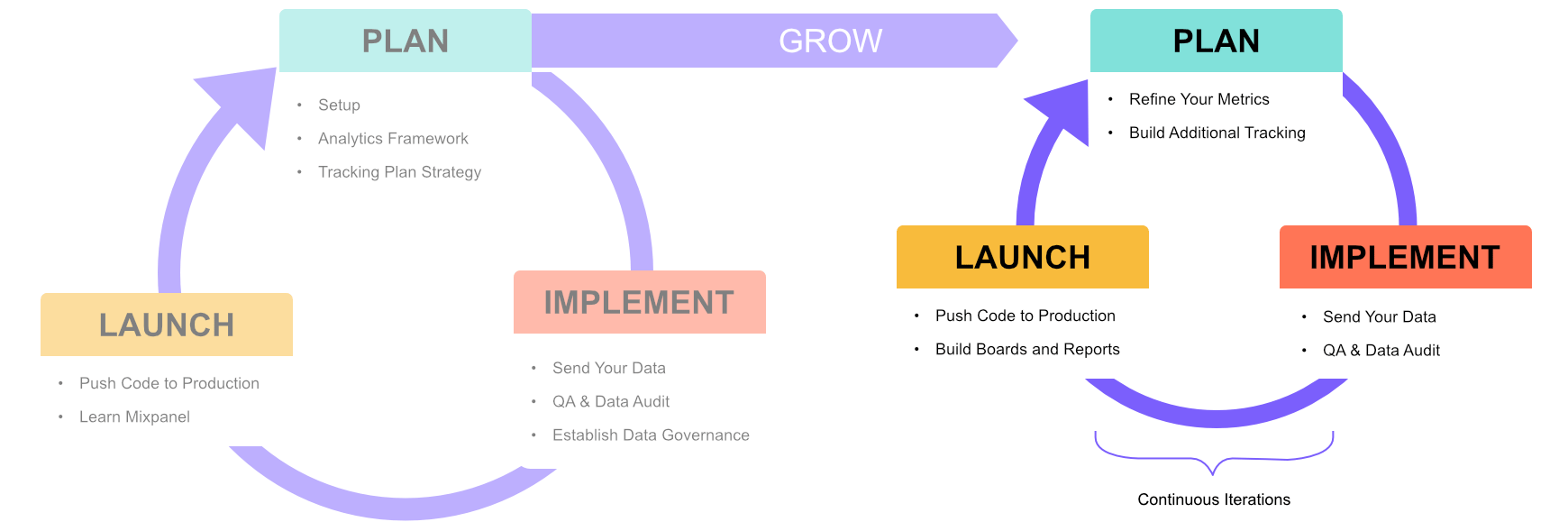 Congratulations on completing the onboarding tutorials, you are now equipped with the understanding to:
* [x] Plan your next tracking sprints, by... - Refining your metrics based on the
observations you have seen thus far - Adding new events and properties, and refining
existing ones to gain better insights
* [x] Implement your next set of tracking plan, by... - Sending your new events and
properties from the updated tracking plan - Conducting quality and audit checks to
ensure data governance before going live
- \[x] Launch your new tracking, by... - Deploying your new tracking codes to
gather user behaviors - Building new dashboards, reports, and user cohorts to track
new metrics and KPIs
## Keeping Up with Mixpanel
* Join our active [Mixpanel Community Slack](https://www.mixpanel.com/community-slack), where you can ask other experienced Mixpanel users for help. Do refer to the [General guidelines](/docs/community/guidelines#general-guidelines).
* Subscribe to our monthly product newsletter to receive updates on our latest product releases or read our [Changelog](/changelogs).
* Subscribe to Mixpanel system status updates to be alerted on any downtimes [here](https://www.mixpanelstatus.com/).
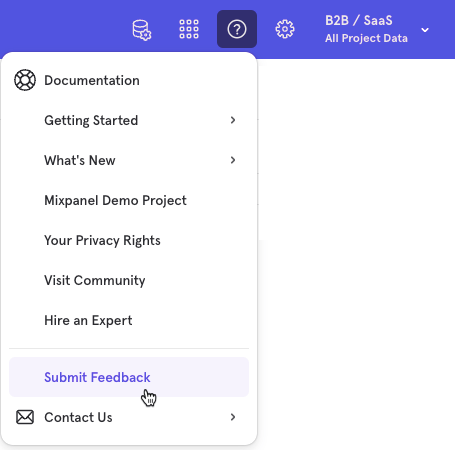
Should you have any feedback you want to share, simply click Submit Feedback in the Mixpanel UI.
 If you have any questions, do reach out to our [Mixpanel Support](/docs/response-times#contacting-mixpanel-support) team who are always ready to lend their product expertise and share tips to help you get the most out of your Mixpanel experience.