

This page is for projects that send
$experiment_started events from a third-party experimentation platform or an in-house feature flagging system, and that do not run experiments through Mixpanel Experiments or Mixpanel Feature Flags.If you run experiments in Mixpanel, no action is needed — see Experiments.Why your exposure events count toward MEU
Experiments usage is measured in Monthly Exposed Users (MEU): broadly, the distinct users who tracked an exposure event during a calendar month. Projects averaging more than 30 exposures per user in a month are calculated differently — see Pricing Unit for the full calculation, and Plan Availability for the amount included with your plan. Mixpanel meters the event configured as your project’s exposure event, whichever system emits it — Mixpanel Feature Flags, a third-party platform, or your own code. Every project starts with that setting pointed at the reserved event name$experiment_started.
That means if your project was already sending $experiment_started events — for example because you follow the documented format for analyzing third-party experiments in Mixpanel — those events count toward your MEU allowance even though you are not using Mixpanel to run the experiments.
If you don’t want those events metered, you have two options below. Option 1 is preferred: it’s a settings change and requires no code deploy.
These events still count toward your regular event usage.While exposure events are metered as MEU, they are deducted from your plan’s ordinary event usage so you aren’t billed twice — see Am I getting double-charged? Once you stop metering them under either option, that deduction no longer applies and the events count toward your event usage like any other event, as they did before you had Experiments.Neither option stops the events being ingested. If your goal is to stop ingesting them entirely, stop sending them.
Option 1 — Change your exposure event in project settings
Point your project’s exposure event setting at an event your project never sends. Your$experiment_started events keep arriving and stay fully queryable as ordinary events; they simply stop being counted as MEU.
1
Open your Experimentation settings
Go to Settings → Project → Experimentation.
2
Change the exposure event
Change the event from 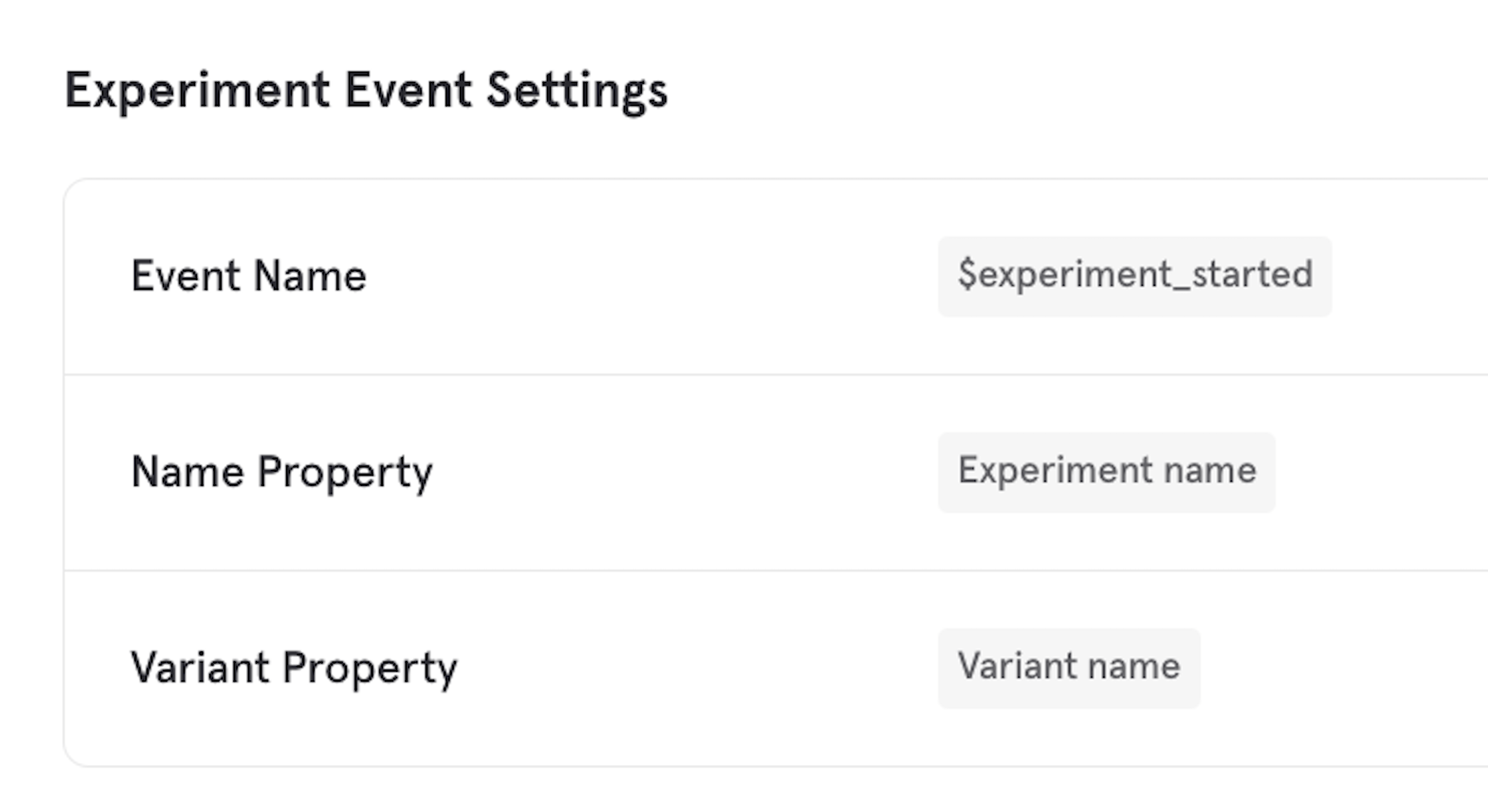
$experiment_started to an event name your project does not send — a placeholder such as not a real event works well. The important thing is that no event with that name is ever ingested.3
Save
Save the setting. Metering applies to events ingested from this point forward.
Option 2 — Change your tracking implementation
Change your third-party platform or in-house system to emit a different event name instead of the reserved$experiment_started, leaving your project settings untouched.
This requires a code or configuration change on your side, and your new events won’t be continuous with the $experiment_started events you’ve already sent — any saved report or dashboard built on the old event keeps referencing it. For most projects Option 1 is the simpler path.
Choose this option if you’d rather stop emitting the reserved $experiment_started name altogether — for example to keep your tracking plan clean — instead of leaving a placeholder event in your project settings.
How to check your MEU usage
Go to Organization Settings → Plan Details & Billing to see your current MEU consumption against your allowance.FAQ
Does this delete or change my existing events?
No. Neither option modifies data already in your project. Your historical$experiment_started events remain intact and queryable in reports, cohorts, and exports.
Will my existing reports and dashboards keep working?
It depends on the option. Under Option 1 you keep sending$experiment_started, so reports querying it as a regular event continue to receive new data. Under Option 2 you stop sending it, so those reports keep rendering your historical data but receive nothing new — point them at your new event name.
Under either option, the Experiment report stops analyzing these experiments — see the warning above.
Can I switch back later?
Yes. Under Option 1, changing the exposure event setting back to$experiment_started resumes both metering and Experiment report analysis on those events from that point forward. Do this when you’re ready to adopt Mixpanel Experiments.