

Why it matters: Teams use Mixpanel to learn faster, align decisions across functions, and measure the impact of every product change.
See Mixpanel in Action
Mixpanel Features That Power Continuous Innovation
Mixpanel is built around a simple but powerful framework for continuous improvement: Observe → Analyze → Decide → Act (OADA).Each stage in the OADA framework connects directly to Mixpanel’s tools, helping you move from data to observation to action–—all in one platform.
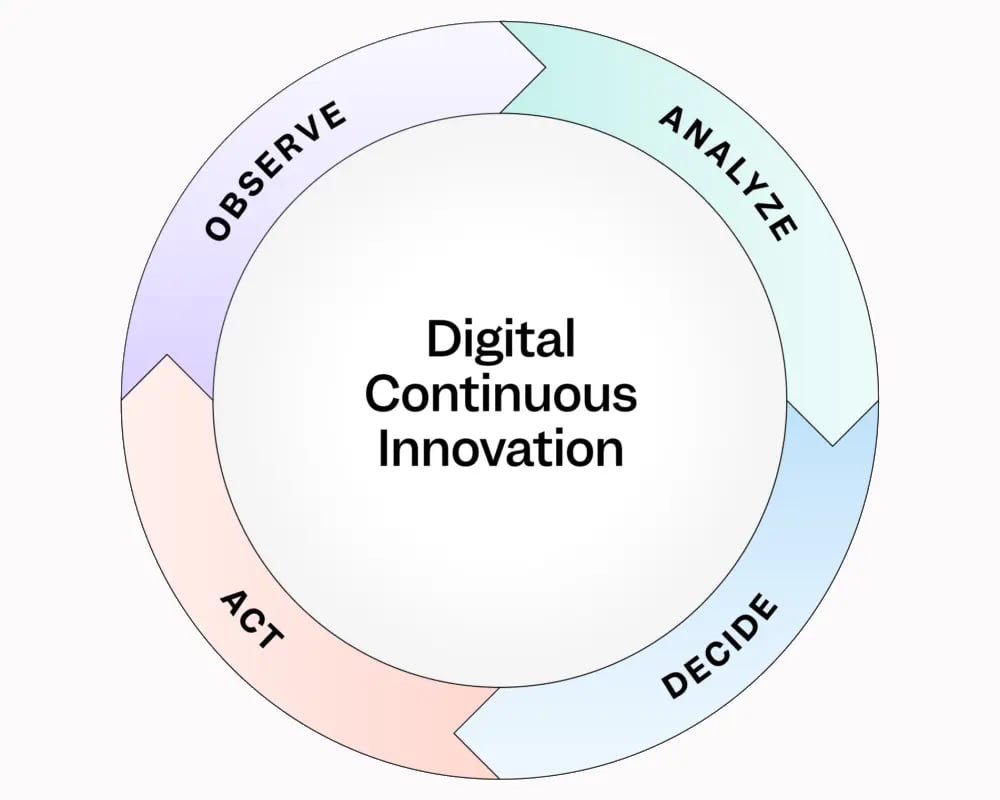
The cycle of continuous innovation.
All of this is powered by Mixpanel’s modern data foundation—–bringing together AI-assisted analysis through features like MCP Server, robust data governance for accuracy and trust, and built-in collaboration tools that help teams move from insight to action faster.
Learn more: Go deeper on the OADA Loop →
Mixpanel Data Model
Everything in Mixpanel starts with events––the building blocks of your data model. An event represents something a user does (like Signed Up, Viewed a Product, or Completed Purchase). Each event can include event properties that add context, such as the user’s plan type, location, or device. Alongside events, Mixpanel also tracks user profiles––records that represent individual people. These profiles store demographic attributes known as user properties (like name, email, or signup date), which help you understand who your users are and analyze behavior at the individual level. Optionally, you can analyze data at the group level using Group Analytics.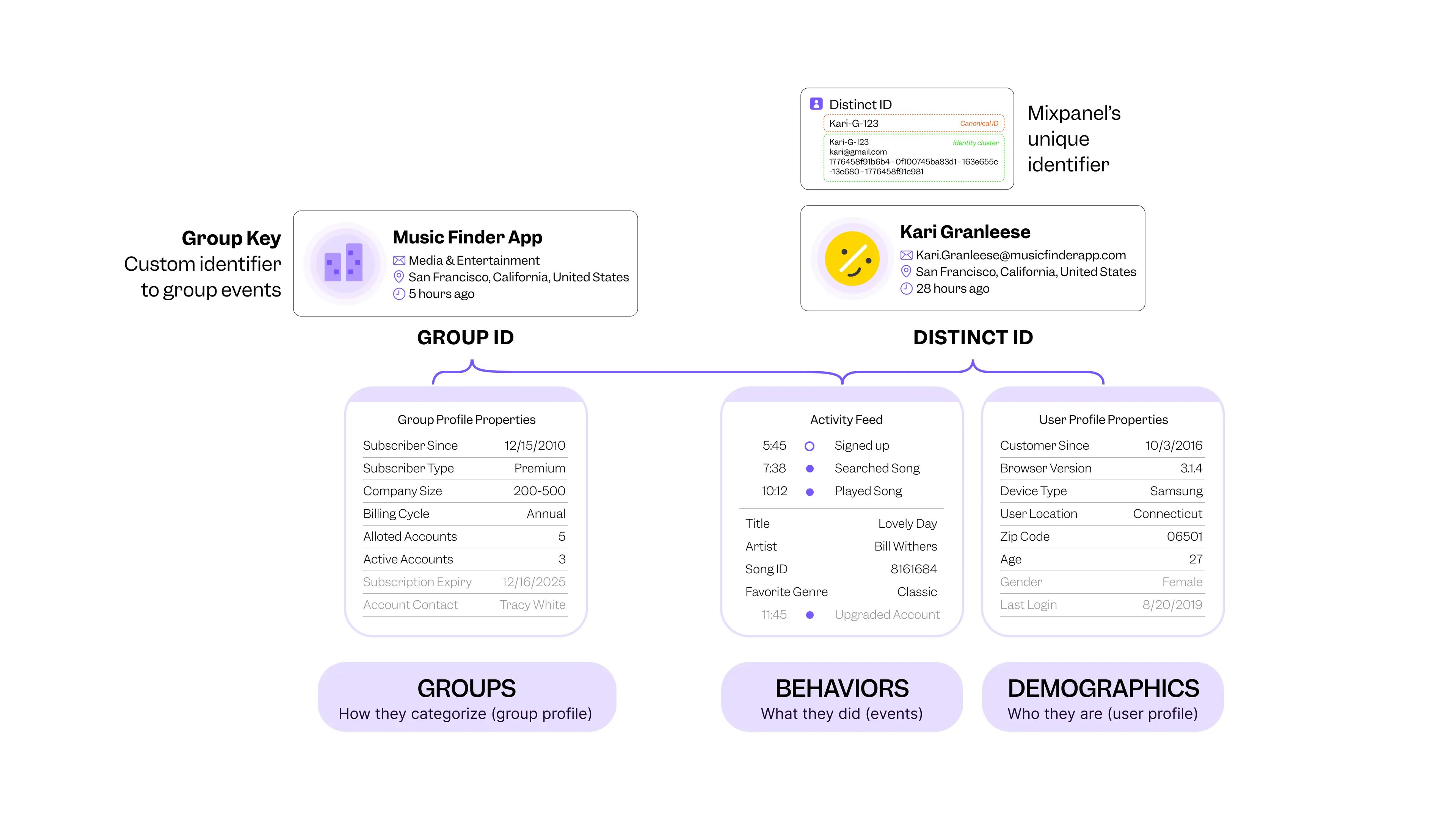
Keep Learning
Keep building your Mixpanel expertise with these resources designed to help you learn, connect, and put insights into action.
Wherever you are in your Mixpanel journey, these resources will help you keep learning, stay connected, and keep improving.