

AI-Powered Data Governance is available to organizations on an Enterprise plan that have Mixpanel’s AI features (Mixpanel Agent) enabled in your organization settings. See our pricing page for more details.
Merge suggestions
Over time, the same concept often ends up tracked under several names —Add to Cart, add_to_cart, and addToCart, or from_date and from-date. These duplicates clutter Lexicon, split your data across reports, and make analysis harder.
Merge suggestions automatically discover these potential duplicates in your project for you, so you don’t have to hunt for them by hand. Mixpanel groups near-duplicate events and event properties together and suggests a single canonical name for each group, so you can clean them up in bulk instead of merging one pair at a time.
Merge suggestions cover events and event properties only — user (profile) properties cannot be merged at this time.
-
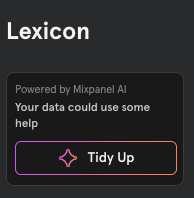
Open Lexicon and click Tidy Up, then Reduce clutter.
-
The Merge Duplicate Events and Properties window opens, listing the suggested groups of duplicates in two sections — Events and Event Properties.
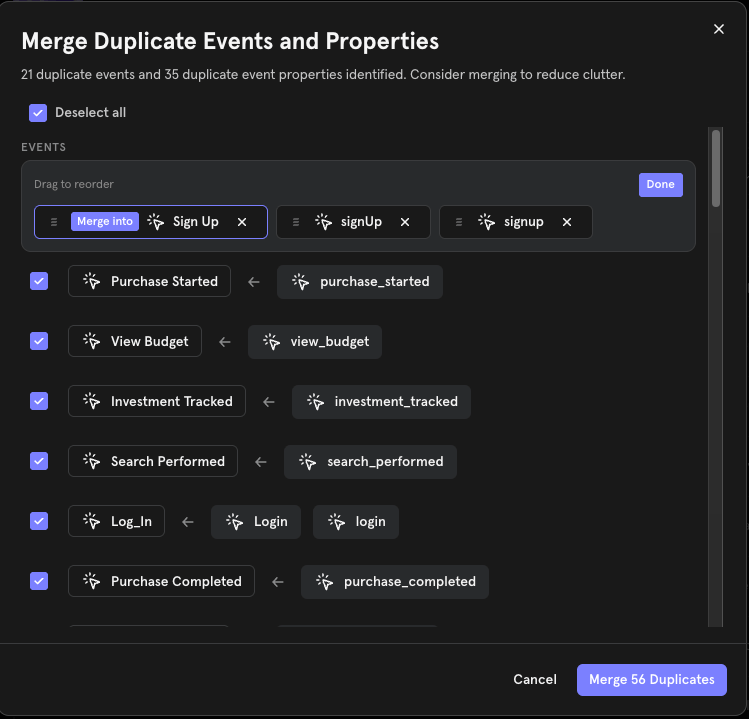
- Review the suggestions. Every group is selected by default. Each group shows the near-duplicate names it found and the canonical name they’ll merge into. To change the canonical name or drop a name from a group, edit the group before submitting.
- Uncheck any group you don’t want to merge, or use Select all / Deselect all to adjust the whole list at once.
- Click Merge Duplicates to submit.
Automated Metadata Enrichment
Raw event names rarely explain themselves.btn_clk_add_crt means something to the engineer who instrumented it and little to anyone else, including Mixpanel Agent and MCP, which rely on Lexicon to understand your data. Writing a display name and description for every event takes time, so most projects have gaps. Mixpanel can now fill them for you.
With this update, you can:
- Fill every gap in one action: From Lexicon → Tidy Up → Fill in the blanks, Mixpanel generates a display name and description for each event missing one and applies them across your project.
- Get names that fit your data: Suggestions draw on the event name, sample property values, and your project’s Business Context, and follow your naming convention when Data Standards is enabled.
- Keep what you wrote: Enrichment only fills gaps. Events with an existing display name or description keep what you gave them.
- See what changed: Every enriched field is recorded in the event’s history, attributed to the user who ran the fill, marked as AI-applied, and written to your audit log like any other Lexicon edit.