

Identities
Create Alias
POST
Create Alias
The
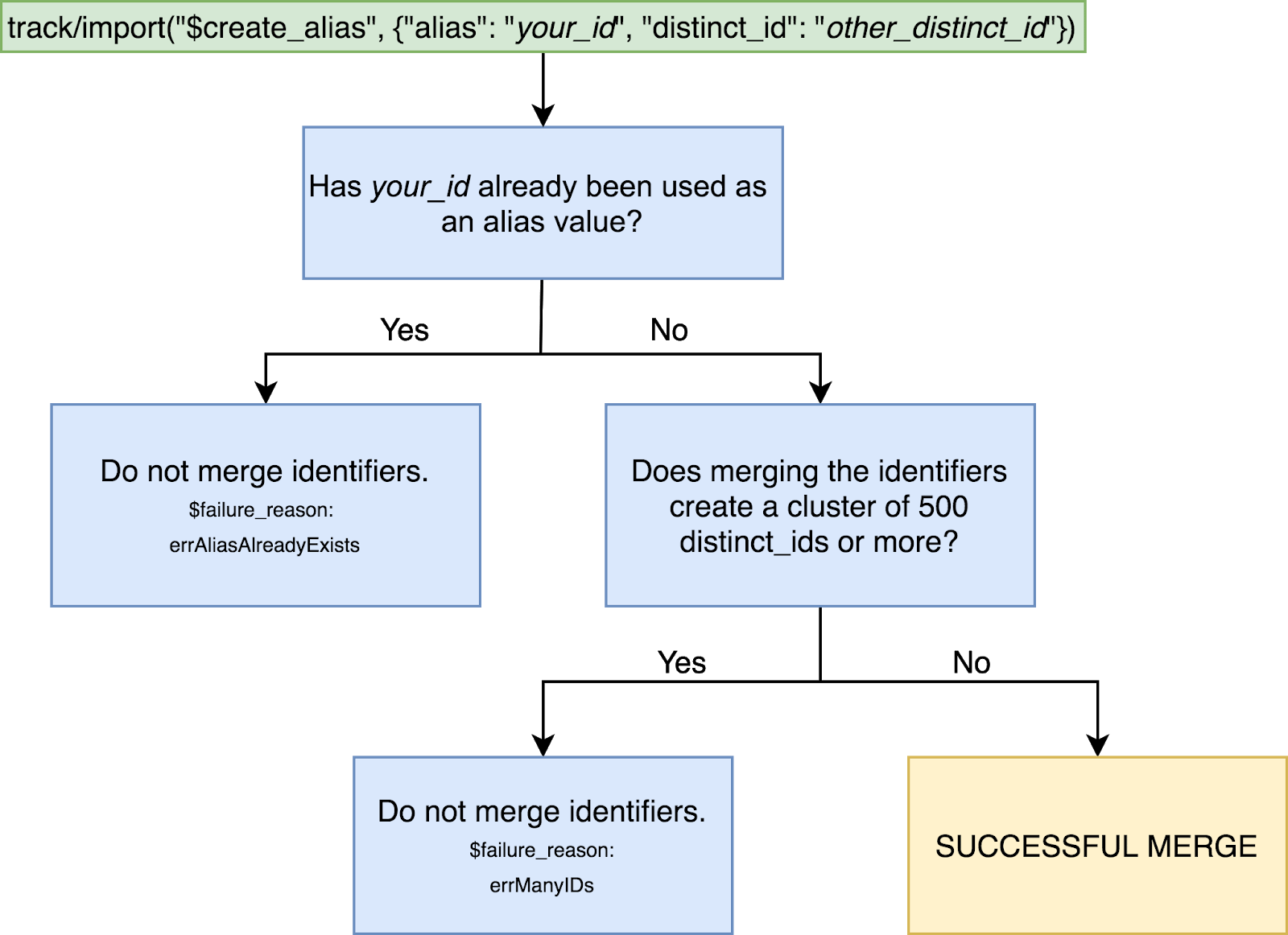
$create_alias event payload is only useful for projects using the Original ID Merge system and the Legacy ID Management System; it has no functionality in the Simplified ID Merge system. Please review this section of our documentation for more information.You can also use the import endpoint: https://api.mixpanel.com/import/
| Event Object property | Type | Description |
|---|---|---|
| event | String required | value must be: $create_alias |
| properties | Object required | |
| properties.distinct_id | String required | A distinct_id to be merged with the alias. |
| properties.alias | String required | A new distinct_id to be merged with the original distinct_id. Each alias can only map to one distinct_id. |
| properties.token | String required | The project token. |
Body
application/x-www-form-urlencoded
data
string<blob>
default:{
"event": "$create_alias",
"properties": {
"distinct_id": "other_distinct_id",
"alias": "your_id",
"token": "YOUR_PROJECT_TOKEN"
}
}
required
A JSON object with the required Event Object fields and any additional event properties.
If present and equal to 1, Mixpanel will validate the provided records and return a JSON object with per-record error messages for records that fail validation.
Required range:
0 <= x <= 1Response
1- All data objects provided are valid. This does not signify a valid project token or secret.0- One or more data objects in the body are invalid.
The response is of type enum<integer>.
Available options:
1, 0