

Overview
Export Mixpanel cohorts to Iterable to create user lists that you can target in your Iterable campaigns. Manage the Iterable integration from the Mixpanel Destinations page.Permissions
You must be a Mixpanel project admin to use the Iterable data integration.Enable the Integration
- Navigate to Data in the nav bar, then select Destinations.
- Click Add Destination, select Iterable, and click Connect.
- The Iterable integration page will show a green export icon and details about the integration after it is connected.
Export a Cohort
- From the Destinations page (recommended)
- From Lexicon
- Navigate to Data in the nav bar, then select Destinations.
- Find the Iterable destination in the list and click on it.
- Click the Syncs tab, then click Add Cohort Sync.
- Select the cohort you want to export and configure the sync (one-time or dynamic). Click Start Sync.
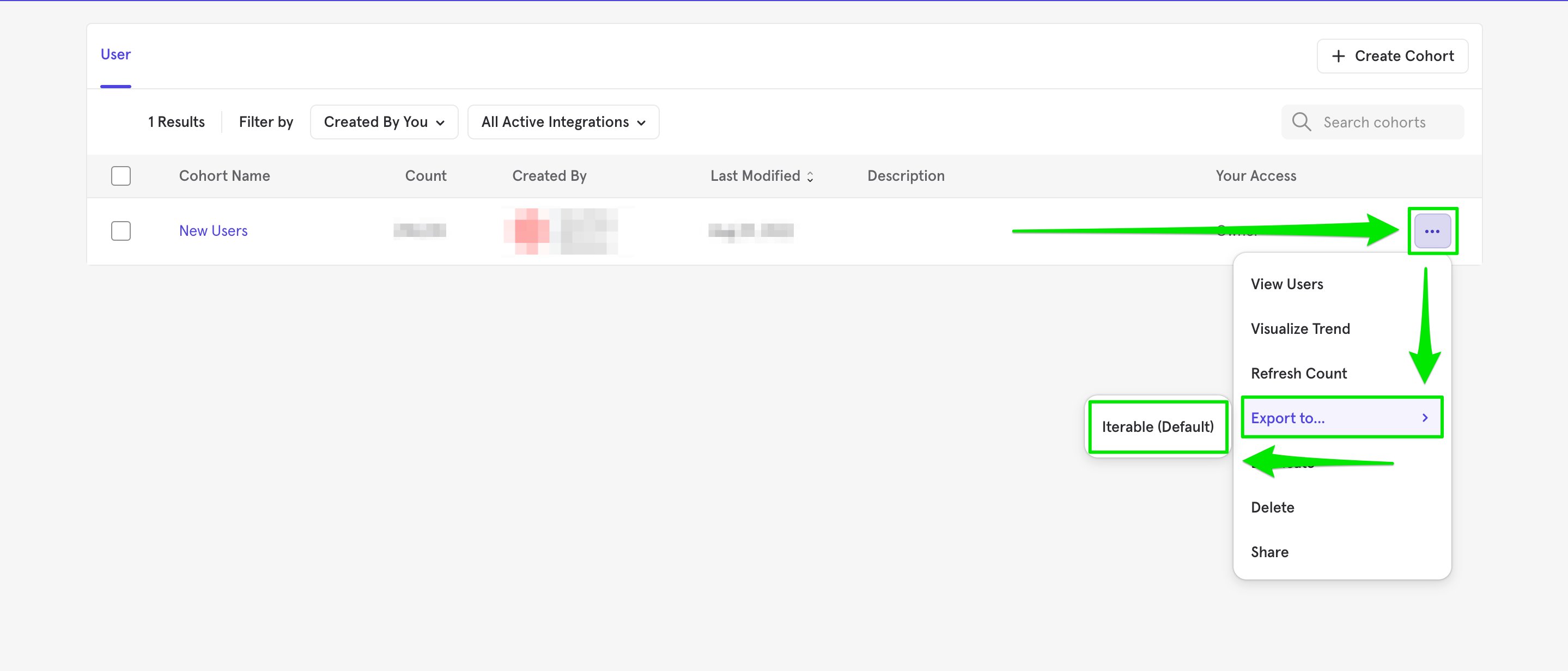
Sync Types
This integration supports two types of exports: one-time export and dynamic sync. When you generate a one-time export or dynamic sync, it overwrites the previous export with an updated export that reflects users who qualify for the cohort at the time of export.One-Time Export
In a one-time export, Mixpanel sends Iterable a static export of users who currently qualify for the cohort. The cohort data will not be updated in Iterable after a one-time export.Dynamic Sync
In dynamic sync, Mixpanel initiates sync between a cohort and Iterable every fifteen minutes. The exported cohort will be updated every fifteen minutes to reflect the most recent list of users in a cohort.Select the Cohort in Iterable
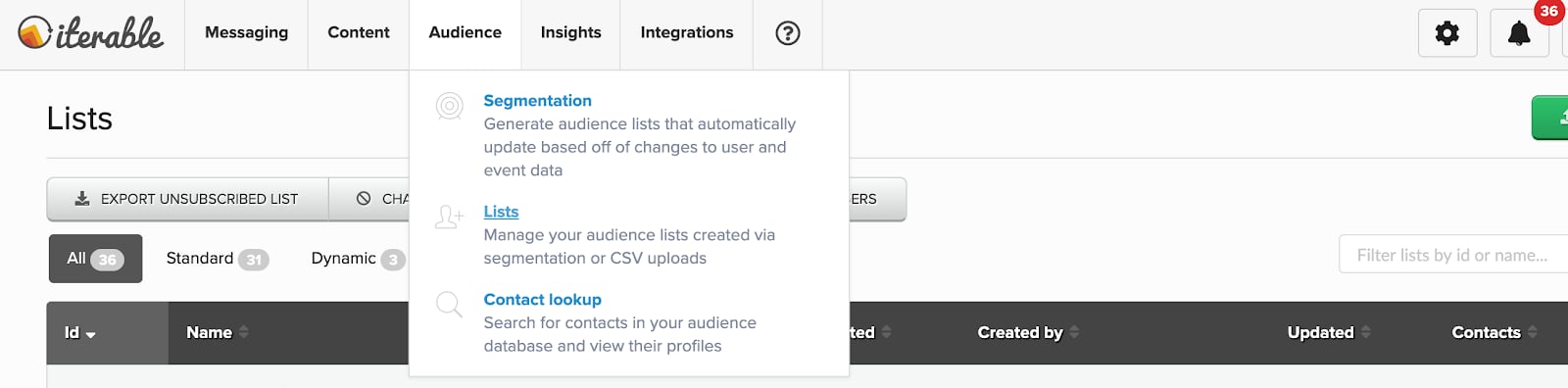
You must log in to Iterable to use the Mixpanel Cohorts to send campaigns. The Mixpanel Cohort is available in the Audience list. Mixpanel exports cohort data asmixpanel_<Cohort Name>_<Cohort ID>.
Matching Users between Mixpanel and Iterable
Warning: Projects using the simplified ID merge system must have the $user_id in Mixpanel match the user identifier in the partner service. Using any alternative partner properties to match users between tools may result in partner events not being attributed to the correct user in Mixpanel. Any partner properties mentioned in the below section are primarily applicable to projects on the original ID merge system.
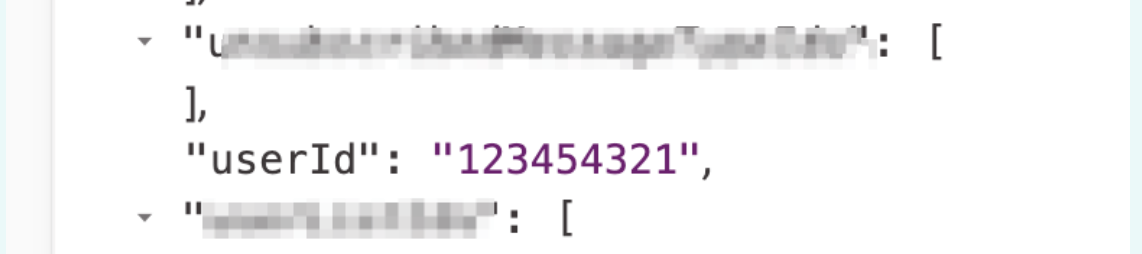
The best way to match users from Mixpanel to Iterable is to grab the value displayed as userId in Iterable and store it as a profile property for the user in Mixpanel under the name $iterable_user_id. This also prevents Iterable from overwriting the Iterable User ID with the Mixpanel Distinct ID upon cohort sync from Mixpanel. For context, the value you should store as $iterable_user_id in the Mixpanel profile would look like this in Iterable:
Iterable Events into Mixpanel and MTU Exemptions
Iterable offers the ability to send events from Iterable to Mixpanel to perform deeper analysis based on messaging data. For detailed instructions, please refer to Iterable’s integration documentation. Events coming from Iterable are marked with the property “$source” to denote the source product. Mixpanel will exempt certain messaging outreach events from MTU calculations, meaning you’re free to send campaigns to dormant users without them counting towards MTU billing (only once a user engages with a message will they then be counted towards that tally). The following events are exempt from MTU calculations:- emailSend
- emailBounce
- emailComplaint
- emailSendSkip
- emailSubscribe
- emailUnSubscribe
- hostedUnsubscribeClick
- inAppSend
- inAppSendSkip
- pushBounce
- pushSend
- pushSendSkip
- smsBounce
- smsReceived
- smsSend
- smsSendSkip
- webPushSendSkip